Razed payments, coins, fees and withdrawal timing

Table of Contents
- Razed supports a broad cryptocurrency payment set
- The network is part of the payment, not a cosmetic setting
- Razed payment table by listed coin
- Crypto cashouts use a simple cashier flow with a separate account-review layer
- Minimums and fees are specific to the selected withdrawal route
- A five-step transfer check prevents most avoidable crypto mistakes
- Questions about Razed crypto payments
- Razed’s payment breadth is useful only when the network details are checked
Section element
Crypto payment mechanics
Razed supports cryptocurrency deposits and withdrawals through its cashier. The main practical issues are choosing the correct asset and destination details, reading the coin-specific minimum shown at withdrawal, and allowing for account checks that can delay a cashout.
Section element
- Crypto fundingAvailable through the cashier
- Withdrawal minimumCoin-specific
- Withdrawal securityPassword or 2FA step
- Support24/7 live chat
Razed supports a broad cryptocurrency payment set
Supported tickers include BTC, ETH, USDT, USDC, LTC, XRP, TRX, SOL, DOGE, BCH, DAI, ALGO and SHFL. The cashier determines which deposit and withdrawal options are available for the current account and location.
That breadth reduces the need to convert every balance into one specific coin before depositing. It does not remove network risk. Stablecoins such as USDT and USDC can exist on several chains, and the supported route is determined by what Razed presents in the live payment dialog at the time of transfer.
Native-chain assets
BTC, LTC, XRP, TRX, SOL, DOGE, BCH and ALGO are listed among the supported tickers. Even with familiar native assets, the displayed address and memo/tag requirements should be followed exactly.
Tokens and stablecoins
ETH, USDT, USDC and DAI add more route sensitivity because token support can depend on the specific network option shown in the cashier.
SHFL support
SHFL is part of the listed payment set. Its presence is a payment fact only; it does not establish any ownership or corporate link with another casino brand.
If a withdrawal is your main concern, the Razed withdrawal guide separates normal processing observations from verification-related delays. For onboarding and account checks, see the Razed account guide.
The network is part of the payment, not a cosmetic setting
Network selection is tied to the asset route shown in the cashier. Do not assume that a stablecoin or token uses the same chain every time. Copy the destination details from the current transaction screen and match them in the sending wallet before confirming the transfer.
- Select the coin in the cashier. The ticker determines which balance you intend to send.
- Copy the displayed network exactly. A token with the same ticker can have incompatible addresses across chains.
- Check address format and any memo or tag. XRP and some exchange withdrawals can require extra routing fields even when the address itself looks valid.
- Send a small test transfer when practical. A smaller first transaction limits the cost of a routing mistake, although network fees can make tiny tests inefficient on some chains.
- Keep the transaction hash. It is the best technical record of what was sent, when, and to which address.
If a crypto deposit does not appear immediately, network congestion, a low transaction fee or an incorrect destination detail can delay or prevent crediting. XRP and similar assets can also require a destination tag or other routing field. Keep the sending-wallet transaction hash because it identifies the transfer on the blockchain and gives support a concrete reference if the casino balance does not update.
Razed payment table by listed coin
Network routes and minimums are transaction-specific. The cashier displays the address or withdrawal destination for the selected cryptocurrency, and the withdrawal screen shows the minimum that applies to that asset at that time.
| Coin | Network | Min Dep | Min WD | Speed | Fee |
|---|---|---|---|---|---|
| BTC | In payment dialog | Coin/network dependent | Coin dependent | Depends on account and blockchain conditions | Use fee shown in cashier |
| ETH | In payment dialog | Coin/network dependent | Coin dependent | Depends on account and blockchain conditions | Use fee shown in cashier |
| USDT | In payment dialog | Coin/network dependent | Coin dependent | Depends on account and blockchain conditions | Use fee shown in cashier |
| USDC | In payment dialog | Coin/network dependent | Coin dependent | Depends on account and blockchain conditions | Use fee shown in cashier |
| LTC | In payment dialog | Coin/network dependent | Coin dependent | Depends on account and blockchain conditions | Use fee shown in cashier |
| XRP | In payment dialog | Coin/network dependent | Coin dependent | Depends on account and blockchain conditions | Use fee shown in cashier |
| TRX | In payment dialog | Coin/network dependent | Coin dependent | Depends on account and blockchain conditions | Use fee shown in cashier |
| SOL | In payment dialog | Coin/network dependent | Coin dependent | Depends on account and blockchain conditions | Use fee shown in cashier |
| DOGE | In payment dialog | Coin/network dependent | Coin dependent | Depends on account and blockchain conditions | Use fee shown in cashier |
| BCH | In payment dialog | Coin/network dependent | Coin dependent | Depends on account and blockchain conditions | Use fee shown in cashier |
| DAI | In payment dialog | Coin/network dependent | Coin dependent | Depends on account and blockchain conditions | Use fee shown in cashier |
| ALGO | In payment dialog | Coin/network dependent | Coin dependent | Depends on account and blockchain conditions | Use fee shown in cashier |
| SHFL | In payment dialog | Coin/network dependent | Coin dependent | Depends on account and blockchain conditions | Use fee shown in cashier |
Crypto cashouts use a simple cashier flow with a separate account-review layer
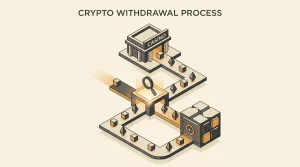
Razed describes cryptocurrency withdrawals as a cashier flow: choose Withdrawal, select the cryptocurrency, enter the destination address and amount, complete the required password or two-factor-authentication step, and submit the request. Blockchain processing and any account review can affect the time before funds arrive.
Verification can change the cashout timeline materially because a document request must be completed before the payment can proceed. The dedicated withdrawal page separates the normal crypto steps from account-review requirements.
Routine path
- Select the cryptocurrency and destination address.
- Enter the amount and complete the account-security step.
- Wait for account processing and blockchain settlement.
Review path
- Identity or source-of-funds checks can interrupt the normal flow.
- Document resubmission can add another account step.
- The payment completes only after the account requirements and blockchain transfer are resolved.
Minimums and fees are specific to the selected withdrawal route
Razed does not publish one fixed cryptocurrency withdrawal minimum across every asset. Its help guidance says each cryptocurrency has its own minimum, influenced by fees and market movement, and directs users to the selected withdrawal screen for the amount that applies at that time.
Fees and minimums should be read from the live cashier for the selected asset. Network conditions can change, and the amount shown in the withdrawal flow is the operational figure for that transaction.
- Deposit route
- Use the address and any routing field shown for the selected cryptocurrency.
- Withdrawal minimum
- Coin-specific; use the amount shown for the selected cryptocurrency.
- Withdrawal fee
- Use the amount displayed for the current asset and network.
- Security
- Razed requires a password or two-factor-authentication step during crypto withdrawal.
Bonus terms can add another layer because wagering rules determine whether a balance is withdrawable at all. The Razed bonus guide separates those turnover conditions from the payment mechanics described here.
A five-step transfer check prevents most avoidable crypto mistakes
- Match the coin ticker exactly to the asset held in your wallet or exchange.
- Use the network displayed for the current deposit or withdrawal instead of reusing an old address blindly.
- Check for a memo, destination tag or other routing field before sending.
- Review the displayed minimum and any fee before confirming the transaction.
- Save the blockchain transaction hash until the casino balance and cashout status are settled.
Crypto deposits are initiated from the cashier by selecting the cryptocurrency and copying the displayed deposit address. That convenience does not change the underlying transfer rule: the asset, address and any required routing field must all match before funds are sent.
Questions about Razed crypto payments
Which cryptocurrencies does Razed list?
Supported tickers include BTC, ETH, USDT, USDC, LTC, XRP, TRX, SOL, DOGE, BCH, DAI, ALGO and SHFL. Availability in the cashier can depend on the account and location.
What is the minimum Razed deposit?
Deposit conditions depend on the selected payment route. Use the amount and address shown in the cashier for the cryptocurrency you intend to send.
How fast are Razed crypto withdrawals?
Razed does not provide one guaranteed cryptocurrency payout time. Account processing, the selected blockchain and any verification request can affect the total wait.
Does Razed charge crypto withdrawal fees?
Use the fee displayed in the cashier for the selected cryptocurrency and network. Network conditions can change the amount associated with a transfer.
Razed’s payment breadth is useful only when the network details are checked
Razed’s crypto cashier makes coin selection, destination details and transaction-specific minimums central to the payment process. Account checks can add a separate step before a withdrawal is released. Keep the transaction hash until the balance is settled and avoid sending funds until the selected asset and destination details match.